


HR software for large, regulated companies
Free to lead people.
Build culture and develop leaders, don’t reconcile spreadsheets. VinetoHR takes the admin off your HR team’s plate: one set of numbers, approvals nobody has to chase, and a system your managers actually use.
Ten organisations already run their HR on VinetoHR — over 6,000 employees


Sound familiar?
Running a function — or a back office with a better title?
Most HR leaders we meet were hired to be strategic. Then every new rule, report and approval landed on their desk.

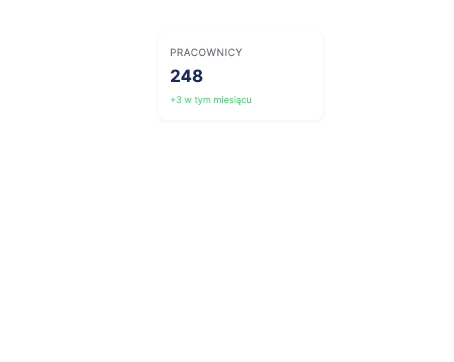
The numbers don't match
How many people work here? HR says 1,240. Payroll says 1,262. Finance says 1,231. Nobody made a mistake — the same person is typed into three systems, by three people, at three different moments.

Buried in admin
Every new regulation, report and control lands on your team. Leadership, culture and business partnering are always what gets postponed.

Workarounds
Managers still approve by email. So you pay for a system and run the old process next to it.
What changes
One set of numbers
Every HR figure comes from one place, and you can see who entered it and when. When the reporting deadline comes, there’s nothing to reconcile. And you don’t have to replace the systems you can’t let go of.
Time for people
Approvals, records and reports to the authorities run without your team touching them. Their hours go to leadership, culture and the business — without new hires or a two-year programme.
Actually used
Managers approve where they already are, in less time than a workaround takes. So nobody quietly goes around the system.
1. Mapping
We design from the process as people actually do it, not as the policy describes it. So we never digitise a procedure everyone already works around.
2. Sequencing
We start with what your team already does by hand. Not every module at once — that’s how rollouts turn into two-year projects.
3. Merging
Data is entered once, where it’s created, by the person who owns it. Clean data first, AI later.
4. Localising
We fit around the systems you can’t remove and replace only what’s genuinely replaceable. Payroll rules, reports to the authorities, attendance and absences, business travel — built in from the start.
5. Adopting
The people who’ll use it help design it. We build for the busy manager who’d otherwise just reply by email.
How we work
The Adoption Architecture
HR systems rarely fail on features. They fail because people don’t use them. So we work in five steps — each one stops a mistake we’ve seen too often.
In practice: three days of workshops with your HR team and IT — how things work today, and how they should. Then your first process goes live in weeks, not a two-year programme. After go-live we stay on for support and update the system when the law changes.
The part your current system doesn’t handle well
Most large companies already have an HR system. What it usually misses is the local part.
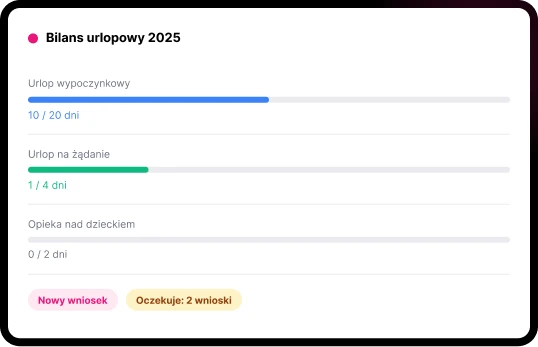
Leave and absences
Leave approved the same day — from the manager’s inbox.
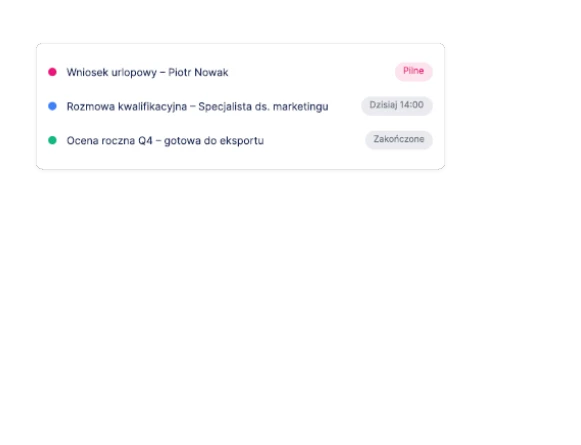
Employees ask for leave in the portal or on their phone. The manager reacts with one tap, no extra login, no training. The balance updates, and the absence goes straight into time records and payroll. HR stops chasing.
Every leave type your company uses, set up to Labour Code rules
Approve from email or phone, no extra login
Team calendar for managers
A reminder when a request waits too long
Feeds time attendance and payroll
Time attendance
Hours, shifts and sites — counted once.
Clock-ins, shifts, rosters and overtime for every site, in one place. Hours and absences flow straight into payroll, so nobody re-types them at the end of the month.
Shifts and rotating rosters
Overtime and night work
All sites in one view
Straight into payroll
Reports to the authorities
Reports in the format the authorities ask for.
Statutory reports built to the exact format required — social insurance, tax, statistics office, central bank — from data your team already entered once. Built to your process, inside the quoted price.
Recruitment
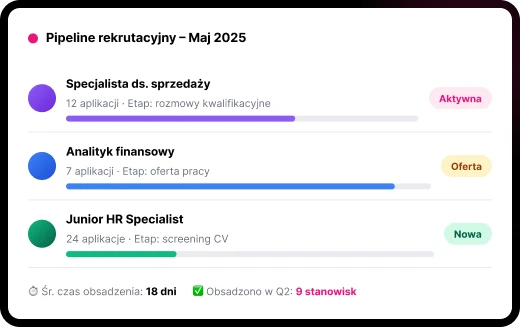
From job ad to signed contract — and the new hire’s record is already there.
Candidates apply and follow their status in one portal. Interviews, feedback and offers stay in one place. When someone signs, onboarding starts from the same record — nobody types their details in again.
Candidate portal with application status
Screening by the rules you set — people make every decision
Interview scheduling and notes
Onboarding from the same record
Time to hire and where hires come from
Performance and development
Reviews built the way you actually run them.
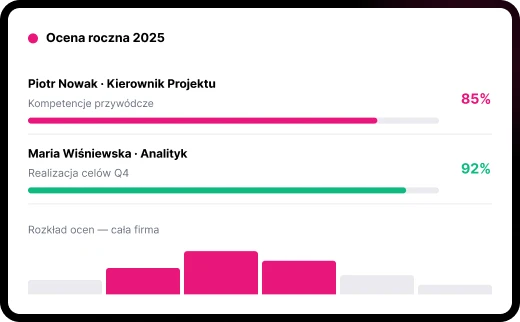
Most companies already run performance reviews. The trouble is everything around them: forms that come back late, ratings nobody can trace, spreadsheets for the follow-up. We build your review cycle as it’s really done, so managers finish it and the results feed development and pay decisions.
Goals and targets that update as work is done
360° feedback from manager, colleagues and the employee
Skills and competencies for each role
Personal development plans
Reports for the board and HR
Which process does your team still do by hand?
Modules
Start with what your team does by hand.
Add the rest when it works.
Pick the process that hurts most. Get it live. Then take the next one.

Employee self-service
Leave requests, personal details, payslips and documents — employees handle them without asking HR.

Manager self-service
Approvals, team calendar and reviews for every level of manager — from email and phone too.

Recruitment and onboarding
Job ads, applications, interviews and onboarding, linked to the employee record.

Leave and absences
Every leave type, approval in one tap, balances that feed payroll.

Time attendance
Shifts, rosters, overtime and hours across all sites.

Talent and succession
Who’s ready for which role — once reviews are running.

Workforce planning
Positions and headcount planned against the budget.

Performance and development
Goals, reviews, feedback and development plans.

Documents and e-files
Electronic personnel files, templates and electronic signatures.

HR reports and dashboards
One set of numbers for the board, traceable to who entered what and when.

Organisation structure
Companies, sites, cost centres and reporting lines; sign in with your company account.

Payroll inputs
Local payroll rules and the data payroll needs, entered once.

Reports to the authorities
Reports in the format your regulator requires, built to your process.
Business travel
Trip planning, approvals and expenses.
Build one of your processes. Then decide.
Demos show you our best case, not your reality. So after a first conversation, pick one process you actually run and tell us how it works today. We’ll build it as a working prototype — online, private to you, within two weeks — and you use it before you decide anything. No cost, no obligation. And no employee data: we only need roles and steps.
Your country, your rules
Designed for the
EU labour market
If your parent company has already chosen a global HR system, it keeps the consolidated reporting. VinetoHR handles trainings, certifications, reports to the authorities in the format they require, attendance and absences that feed payroll, business travel.
Labour Code
Leave, working time and personnel files kept the way the law requires.

GDPR
A data processing agreement with every client. VinetoHR runs in your own environment or a dedicated private cloud in the EU.
Your local layer
Payroll rules, reports to the authorities in the required format, attendance and absences that feed payroll — built to your process, inside the quoted price.

ISO 27001
Foxit, the company behind VinetoHR, is ISO 27001 certified.
EU AI Act
Using AI in HR gives the employer duties too, like informing worker representatives first. We’ll show you which apply to you.
Built on Appian, a process automation platform for large organisations.
Who uses it
Ten organisations. Over 6,000 employees.
Banks and manufacturers across SEE run their HR on VinetoHR — many of them part of Austrian and Hungarian groups. One HR team can run several companies at once.
The branch manager who wouldn’t log in
“If I have to log in to some application for this, I won’t!” That’s what a branch manager told us at our first workshop. Many years in the bank, very respected. “I approve leave from my phone. On email. That’s it.”
He was right. The system was picked at head office, and nobody had asked him.
So the leave request still landed in his email, like always — just with two buttons: Approve or Reject. One tap and it went straight into the system. No special login. No training.
A few weeks after go-live, he called the HR Director on a Monday morning. That Saturday he’d been at a football match. Three leave requests came in, and he approved them from the stands, between two goals. “I did my HR work at a football match. Within a minute. Nobody even noticed.”
A month later HR noticed something too: approvals that used to take three or four days were closed the same day. The phone calls stopped.
You don’t design for the people who buy the system. You design for the people who’ll use it.
Questions HR leaders ask us
Our parent company already gave us a global HR system.
Keep it. It does the consolidated reporting. We handle the local part it doesn’t do well, and connect to it so data is entered once.
Who else uses it?
Ten organisations across SEE, over 6,000 employees, mostly banks and manufacturers — many of them part of big Austrian and Hungarian groups.
We don't have budget right now.
Then start with one process — the one your team does by hand. The prototype costs nothing, and it shows you what that process is costing you today.
It's not a priority this year.
Fair enough. The prototype takes about an hour of your time over two weeks. When it does become a priority, you’ll already know what it would change.
How long does it take?
Your first process goes live in weeks. We don’t do two-year programmes: we start small, go live, then add the next process.
Do you use AI?
Not to make HR decisions — a person always decides. Before any AI, we make sure your HR data is entered once and matches across systems. And if you use AI tools in HR, the EU AI Act gives you duties as the employer — we’ll show you which.